Beschrijving
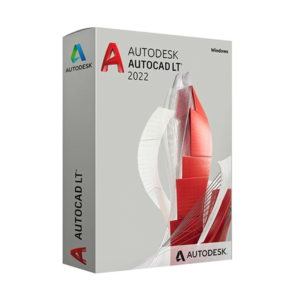
Information About the “AutoCAD LT” Subscription”
Revamp your projects with new tools
Discover the latest features of AutoCAD LT® 2D CAD software, including DWG™ Comparison, Shared Views, and enhancements to 2D graphics and the user interface.
2018 Educational Edition.
DWG-vergelijking
Vergelijk en leg de verschillen tussen twee versies van een tekening vast.
Save to the Web and Mobile Devices
Save drawings from your desktop computer and view and edit them in the AutoCAD web and mobile apps.
2D-grafiek
Use zoom and pan features that are twice as fast, and edit the display order and properties of layers.
Gedeelde visies
Publish design views of your drawing to a web browser to view them and add comments.
AutoCAD-webapp
Create, edit, view, and share CAD drawings from any device via a browser.
AutoCAD Mobile App
View, create, edit, and share CAD drawings on your mobile device with the AutoCAD Mobile app.
Gebruikersinterface
Experience enhanced views with new, simplified icons and 4K improvements.
PDF Import
Import geometry, SHX font files, hatches, raster images, and TrueType text into a drawing from a PDF file.
Ribbon Tabs and Groups
Easily access your favorite tools when you need them with the AutoCAD ribbon.
Toolboards
Easily access the content and tools you use most frequently with customizable toolboards.
Command Line
Launch commands and quickly respond to prompt messages using simple keyboard shortcuts directly from the command line.
Multifunction Grips
Easily reshape, move, or modify geometry using grips.
Object and Layer Transparency
Control the transparency of selected objects or all objects on a layer.
Dynamische blokken
Add flexibility and intelligence to block references, including the ability to change their shape, size, or configuration.
Associative Arrays
Create and edit objects in circular or rectangular patterns or along a path.
Object Selection and Isolation
Find and select all objects that match the properties of a specific object. Hide or show selected objects.
2D-ontwerpen, tekeningen en aantekeningen
Create single-line or multiline text (textom) as a single text object. Format text, columns, and outlines.
Smart Dimensioning
Automatically create appropriate dimensions. Hover over selected objects to preview the dimension before creating it.
Guides
Create guides with a wide range of content, including text or blocks. Easily format guides and define styles.
Smart Centers and Axis Lines
Create and edit axis lines and centers, which will automatically move when you move the associated objects.
Tabellen
Maak tabellen met gegevens en symbolen in rijen en kolommen, pas formules toe en koppel deze aan een Microsoft Excel-werkblad.
Revision marks
Draw revision marks around new changes in a drawing to quickly identify updates.
Lay-out
Specify the drawing sheet dimensions, add a title block, and view different views of the model.
Lay-outvensters
Create layout windows to view different elements of the project at different scales.
Velden
Use fields in text objects to display text that can be automatically updated when the value of the data field changes.
Data Link
Schakel gelijktijdige updates in door een actieve koppeling te maken tussen een Microsoft Excel-werkblad en een tabel in de tekening.
Delen
Share and reuse data from PDF and DGN files by importing, exporting, or attaching them as attachments.
References to DWG Files and Images
Link drawings and images to your current drawing as external reference files.
Sheet Set Management
View, access, manage, and print multiple drawings as if they were a sheet set.
Geolocation and Online Maps
Insert geolocation information into a drawing and display a map in the drawing sourced from an online mapping service.
Installatie en aanpassing
TrustedDWG™ technology alerts you to potential incompatibilities when a DWG file was not last saved using Autodesk software.
Migratietool
Zorg ervoor dat u uw persoonlijke instellingen en bestanden uit eerdere versies overzet.

 Autodesk
 Autodesk
 Autodesk
 Autodesk
 EN
EN  IT
IT
 DE
DE
 FR
FR
 ES
ES
 PT
PT
 NL
NL

Beoordelingen
Er zijn nog geen beoordelingen.